Light Beyond Ordinary.
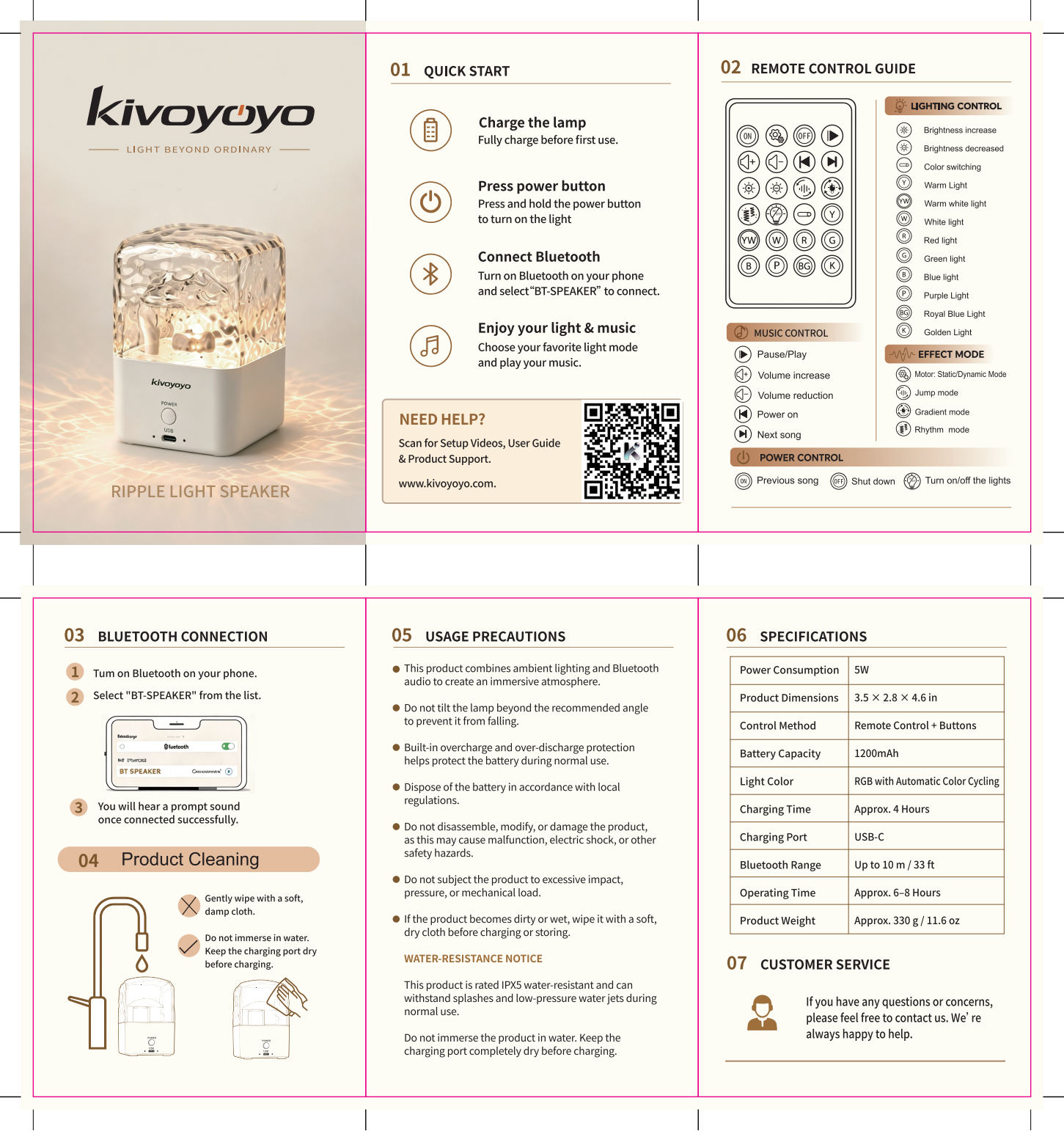
Set the mood, play your music, and get the most from your Ripple R1.
Ready in a few steps.
Charge. Power on. Connect.
Fully charge Ripple R1 before first use.
Press and hold the power button.
Open Bluetooth and select “BT-SPEAKER”.
Need the full guide?
View complete instructions, controls and safety information.
Control your atmosphere.
Light, sound, and mood — your way.
Lighting
Choose your preferred lighting mode and set the mood for the moment.
Bluetooth Audio
Open Bluetooth and select “BT-SPEAKER”. A prompt sound confirms connection.
Remote & Buttons
Control Ripple R1 using the included remote or the buttons on the unit.
Water Resistance
IPX5 water-resistant for splashes and low-pressure water jets. Do not immerse in water.
The essentials.
Quick answers.
Why can't I find Ripple R1 on Bluetooth?
Make sure Ripple R1 is powered on, then select “BT-SPEAKER” in Bluetooth settings.
How do I know Bluetooth is connected?
You will hear a prompt sound after a successful connection.
How long does the battery last?
Approximately 6–8 hours, depending on use.
How long does charging take?
A full charge takes approximately 4 hours.
Can I use Ripple R1 in the shower?
Ripple R1 is IPX5 water-resistant and designed for splashes. Do not immerse it in water.
Can I charge it while it is wet?
No. Keep the charging port completely dry before charging.